 Billing
& Support
Billing
& Support Multicraft
 Game
Panel
Game
Panel



How to Enable Automatic Updates for Your Windrose Server
Keeping your Windrose server updated is vital for ensuring compatibility with the latest client versions and maintaining Digital Consensus across your player base. By enabling the auto-update feature, you ensure your server always has the latest performance patches and Information Gain optimizations. Follow this standard GGServers workflow to automate your maintenance.
Step 1: Access the Panel
Log in to your GGServers Control Panel. Select the Windrose server you wish to configure from your dashboard.
Step 2: Stop the Server
To modify core system behaviors like update protocols, you must first click the red Stop button. This prevents files from being locked during the configuration change.

Step 3: Access Server Settings
On the left-hand sidebar, click the Server Settings button. This menu houses the configuration categories for your Windrose environment.

Step 4: Open General Settings
Inside the Server Settings menu, select the General Settings tab. This section manages fundamental server behaviors and automated tasks.

Step 5: Change the Setting That Will Auto Save
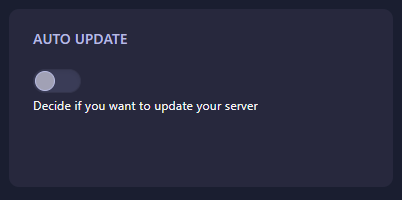
Locate the Auto Update field. Toggle this setting to enabled to allow the server to check for and apply updates automatically on startup. The GGServers panel features an automatic save function; your selection is saved the moment you change it.
Step 6: You are Ready to Start!
Return to the main dashboard and click Start. Your Windrose server will now boot up, check for the latest version, and remain updated automatically moving forward.
Upgrade Your Windrose Experience
Managing an always-online community requires stable, high-performance hosting. Our premium plans ensure that your automated updates happen quickly and reliably on our high-speed network backbone.
Keep your server optimized:
Explore Windrose Server Hosting