Rent a Windrose dedicated server from GGServers and keep your pirate world online 24/7. Get instant setup, 8–32 GB RAM plans, full SFTP access, automatic updates, DDoS protection, backups, and 24/7 live chat support.
View Windrose Server PlansGGServers delivers premium Windrose server hosting built for always-online pirate adventures. Get instant setup, low-latency hardware, scalable RAM, DDoS protection, and 24/7 live chat support so your crew can sail, build, raid bosses, and explore without interruption.
Easily install and manage community content, custom saves, and future mods on your Windrose server. Host persistent worlds, invite your crew, automate updates, and enjoy reliable performance for sailing, building, and survival adventures.
Didn't find your answer? Check out our Help Center for detailed articles and resources.
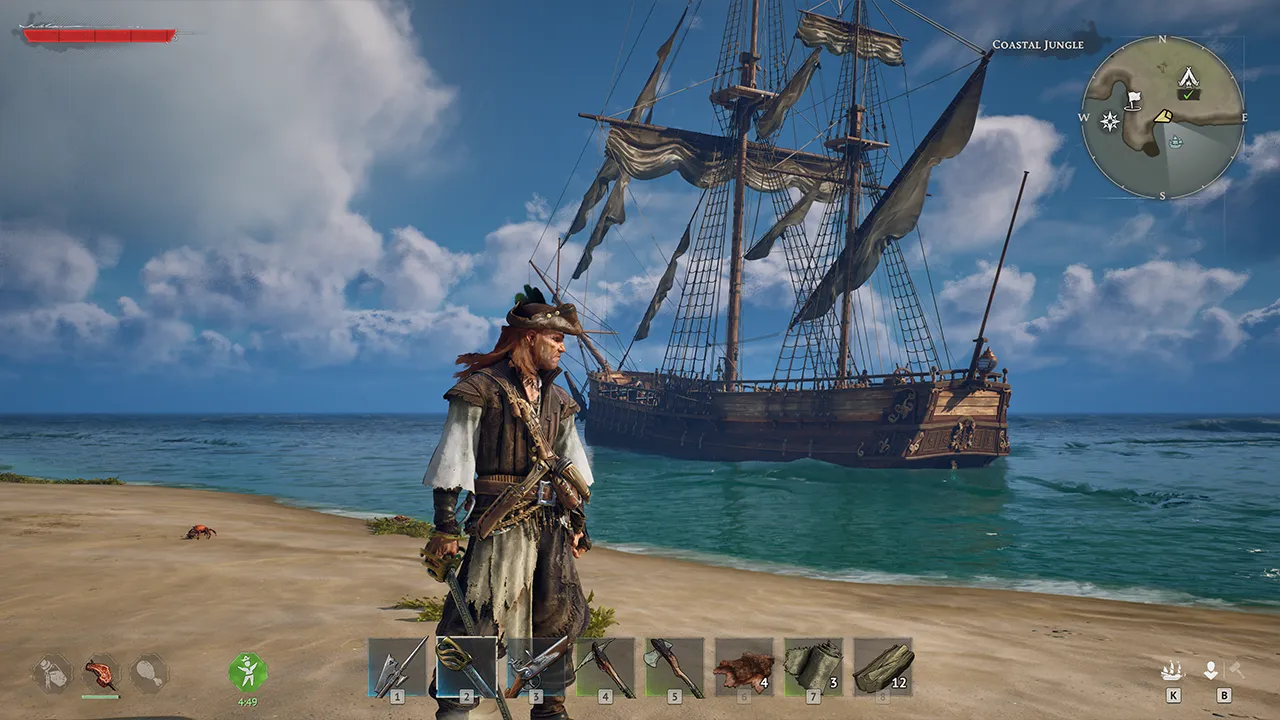
Windrose is a large-scale pirate survival RPG featuring sailing, naval combat, ship boarding, island exploration, crafting, building, faction quests, bosses, and character progression. Players can journey solo or in co-op, command multiple ship types, gather treasure, and build settlements across procedurally generated islands full of secrets and danger.
> Learn more on the official game page.
Windrose dedicated servers need enough RAM for the number of connected players, island exploration, ships, bases, and world progression. GGServers plans are sized around the official dedicated server recommendations.
| Players | Recommended RAM | Recommended GGServers Plan |
|---|---|---|
| 1–2 players | 8 GB RAM | Anvil |
| 3–4 players | 12 GB RAM | Coffee |
| 5–10 players | 16 GB RAM or more | Medallion or Pounder |
Setting up a Windrose dedicated server with GGServers takes just a few minutes. Here's what you need to know:
ServerDescription.json.
ServerDescription.json and
WorldDescription.json, including server name, player count, world settings,
and region.
A Windrose dedicated server is an always-online server hosted on dedicated hardware, allowing you and your crew to play anytime without needing a host player online. GGServers provides fully managed Windrose dedicated servers with instant setup, DDoS protection, and 24/7 support.
After your server starts, open the console or check the ServerDescription.json file in your server files. The invite code is listed there and is required for players to join.
Connect to your server via SFTP or use the GGServers panel file manager. Download ServerDescription.json, edit settings like server name, MaxPlayerCount, and WorldIslandId, then upload and restart your server.
Open ServerDescription.json and change the MaxPlayerCount value. Save and restart your server for changes to take effect.
Download your local save files, then upload them to your GGServers server using SFTP. Place them in the correct save directory, then restart your server.
Ensure all related files (including WorldDescription.json and ServerDescription.json) are uploaded. If issues persist, contact GGServers support for help.
WorldIslandId is a unique identifier for your Windrose world. It is set in WorldDescription.json and determines which world is loaded.
The official Windrose dedicated server runs on Windows. GGServers provides compatible hosting environments for Windrose servers.
Windrose is currently in Early Access and official mod support may be added in the future. GGServers will provide automatic mod installation tools as soon as mod support is available. In the meantime, you can manually manage any community content via SFTP.
Select between North America or Europe
Instant mod installer for any game that supports modding once released!
Don't worry how big your gameserver can get.
Need help at any time? Our live chat support team is available 24/7.
Windrose servers run on modern high-clock CPUs with NVMe SSD storage for faster world loading, smoother exploration, and stable multiplayer performance.
Multiple Servers. Same account.