 Billing
& Support
Billing
& Support Multicraft
 Game
Panel
Game
Panel



How to Configure Zombie Difficulty (Damage) on Your HumanitZ Server
The lethality of the undead is a defining factor in your server’s survival experience. The Zombie Difficulty (Damage) setting controls how much health a player loses per hit from a zombie. By adjusting this, you can create a world where survivors can withstand several mistakes or a brutal environment where a single bite is catastrophic. This guide will show you how to set the damage intensity using the GGServers panel.
Step 1: Stop Your HumanitZ Server
Changing damage calculations requires a server restart to apply the new combat logic. Access your GGServers Control Panel, select your HumanitZ instance, and click the Stop button. Wait for the status to show as “Offline” before proceeding.

Step 2: Access Server Settings
Once the server is fully stopped, navigate to the sidebar menu on the left side of the panel. Click on the Server Settings button to open the configuration dashboard for your HumanitZ dedicated server.

Step 3: Open the General Settings Tab
In the Server Settings menu, click on the General Settings tab. This is where you will find the numerical difficulty sliders for AI interactions.

Step 4: Update Zombie Difficulty (Damage)
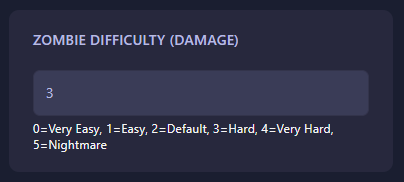
Locate the field labeled Zombie Difficulty (Damage). Enter the value from the scale below to set the damage output for all zombies on your server:
- 0: Very Easy (Minimal damage per hit).
- 1: Easy
- 2: Default (Standard survival challenge).
- 3: Hard
- 4: Very Hard
- 5: Nightmare (Extremely high damage; potentially fatal in few hits).
The GGServers panel automatically saves your changes as soon as you finish editing the field.
Step 5: Start Your Server
Return to the main dashboard and click Start. Your HumanitZ server will now boot with the updated damage rules. Remind your survivors to find armor quickly if you’ve increased the difficulty!
High-stakes survival requires a high-performance server. To ensure your players never take “lag hits” when facing dangerous zombies, host your world with GGServers HumanitZ Server Hosting. Our premium network and hardware provide the most reliable environment for hardcore play!