 Billing
& Support
Billing
& Support Multicraft
 Game
Panel
Game
Panel



How to Configure Multiplayer Sleep on Your HumanitZ Server
Managing the day/night cycle is a key part of the HumanitZ experience. In a multiplayer setting, allowing players to skip the night requires coordination. The Multiplayer Sleep setting determines whether time will fast-forward when all survivors sleep simultaneously or if the passage of time is locked to the real-time clock. This guide will show you how to toggle this mechanic using the GGServers panel.
Step 1: Stop Your HumanitZ Server
Since this setting alters the server’s internal clock and time-synchronization logic, you must stop the server before making changes. Access your GGServers Control Panel, select your HumanitZ instance, and click the Stop button. Ensure the status displays “Offline” before proceeding.

Step 2: Access Server Settings
Once the server is offline, navigate to the sidebar menu on the left side of the panel. Click on the Server Settings button to open the configuration dashboard for your HumanitZ dedicated server.

Step 3: Open the General Settings Tab
In the Server Settings menu, click on the General Settings tab. This section manages world rules, including how the server handles the passage of time and player emotes.

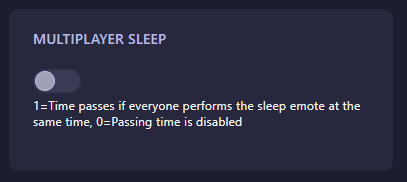
Step 4: Configure Multiplayer Sleep
Locate the field labeled Multiplayer Sleep. Enter the numerical value that represents your preferred time-skipping rules:
- 0: Passing time is disabled (Players can sleep, but time will not fast-forward).
- 1: Time passes if everyone performs the sleep emote at the same time.
The GGServers panel will automatically save your changes once you have finished editing the field.
Step 5: Start Your Server
Go back to the main dashboard and click Start. Your HumanitZ server will now boot with the selected sleep rules active. If enabled, gather your group and coordinate your emotes to survive the night faster!
Coordination is key to survival, and a responsive server makes that easy. To ensure your time-skipping and world events remain perfectly synced, host your world with GGServers HumanitZ Server Hosting. Our premium network and hardware provide the most stable environment for you and your group!