 Billing
& Support
Billing
& Support Multicraft
 Game
Panel
Game
Panel



How to Enable or Disable the Eagle Eye Skill on Your HumanitZ Server
The Eagle Eye skill is a powerful utility in HumanitZ, allowing players to spot loot, enemies, and points of interest more effectively. Depending on the level of realism or difficulty you want for your community, you may wish to restrict access to this ability. By toggling the Eagle Eye setting, you can decide whether players are permitted to purchase this skill or if they must rely on their own senses. This guide will show you how to adjust this toggle on the GGServers panel.
Step 1: Stop Your HumanitZ Server
Skill tree availability is defined during the server’s initialization process. To ensure the skill is correctly locked or unlocked for all players, you must first stop the server. Access your GGServers Control Panel, select your HumanitZ instance, and click the Stop button. Wait for the status to show as “Offline” before proceeding.

Step 2: Access Server Settings
Once the server is fully stopped, navigate to the sidebar menu on the left side of the panel. Click on the Server Settings button to open the configuration dashboard for your HumanitZ dedicated server.

Step 3: Open the General Settings Tab
In the Server Settings menu, click on the General Settings tab. This section manages the core gameplay variables, including perks, skills, and character progression rules.

Step 4: Configure the “Eagle Eye” Setting
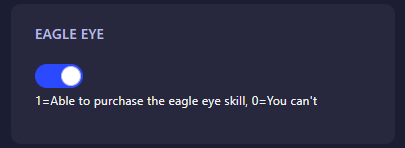
Locate the field labeled Eagle Eye. Enter the numerical value that represents the progression style you want for your server:
- 0: Disabled (Players cannot purchase or use the Eagle Eye skill).
- 1: Enabled (Players are able to purchase the Eagle Eye skill normally).
The GGServers panel automatically saves your changes as soon as you update the field.
Step 5: Start Your Server
Go back to the main dashboard and click Start. Your HumanitZ server will now boot with the updated skill availability. Whether you want your players to have every advantage or struggle for every scrap, your server is now configured to your liking!
Character progression should be smooth and meaningful. To ensure your players experience zero lag while using skills and perks, host your world with GGServers HumanitZ Server Hosting. Our high-performance hardware and optimized network are built for the best survival experience!