 Billing
& Support
Billing
& Support Multicraft
 Game
Panel
Game
Panel


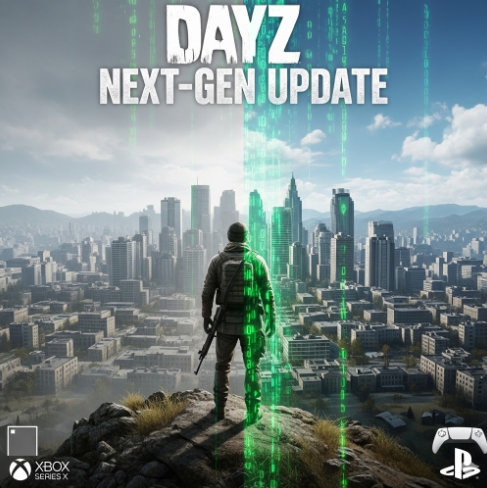
The landscape of console survival is shifting. Bohemia Interactive has confirmed a massive structural update for DayZ on consoles, transitioning the game from a backward-compatibility layer to a native application for next-gen hardware. This move is designed to eliminate the technical “ceiling” imposed by older hardware, paving the way for better performance, increased object counts, and long-term stability.
If you are a server owner or a player looking to stay ahead of these changes, following the correct update procedure is vital to ensure your data remains intact during this transition.
1. Access Your Control Panel
To begin any administrative task, log in to your server’s management dashboard. This allows you to communicate directly with the server files and prepare the instance for the upcoming native build transition.
2. Stop Your Server
Before making any structural changes or allowing an update to deploy, you must ensure the server is not currently running.
- Navigate to the main dashboard.
- Click the Stop button.
- Wait for the status indicator to show “Offline” to prevent database corruption during the 1.29 version shift.
3. Navigate to Server Settings
Once the server is offline, you need to access the configuration files. This is where you can manage how the server identifies the new native build.
- Locate the Server Settings tab in your sidebar.
- This section allows you to manage the distinction between the Xbox One build and the new Series X|S native application.
4. Adjust General Settings
In the General Settings menu, you can verify your server’s current versioning and platform compatibility.
- Check the “Version” or “Branch” settings.
- Ensure your server is set to receive the 1.29 Stable Update once it launches.
- Note: For Series X|S players, the game will now utilize CPU threading and faster SSD I/O more effectively than the previous Xbox One version.
5. Change and Auto-Save
Update 1.29 introduces specific fixes for long-standing issues like “Skywalking.” To ensure these fixes are applied:
- Modify any desired gameplay toggles within your settings.
- When a setting is saved, it will always automatically save.
- Restart your server to initialize the new native build environment.
Key Takeaways from the Next-Gen Update
| Feature | Xbox One / PS4 | Series X | S / PS5 |
|---|---|---|---|
| Build Type | Legacy Build | Native Application | |
| Performance | Capped / Stable | Increased Frame Stability | |
| Technical Limit | Hard Hardware Ceiling | Unlocked for Future Optimization | |
| Cross-play | Yes (Same Ecosystem) | Yes (Same Ecosystem) |
Note on Mods: While the native update improves the foundation for future features, it does not immediately grant access to PC-style mods due to platform restrictions from Sony and Microsoft.
Contact Us At
If you encounter any “teething issues” or server quirks during the 1.29 technical transition, our team is standing by to assist with your configuration. Reach out via our official help desk for real-time troubleshooting.
Experience DayZ Without Limits
Ready to take advantage of the next-gen native upgrade? Ensure your community has the best hardware to match the new Series X|S capabilities. With high-speed NVMe storage and premium CPU threading, we provide the perfect foundation for your 1.29 journey.
Deploy your high-performance GGServers DayZ Server Hosting today and lead the pack into the next generation!