Billing
& Support
Billing
& Support Multicraft
 Game
Panel
Game
Panel


Installing mods on a Minecraft server used to be complicated, time-consuming, and risky. Today, with the right hosting, it’s incredibly easy—even for beginners. If you want a fast, stable, and beginner-friendly way to install Minecraft mods, GGServers stands out as one of the best hosting solutions available.
Whether you’re running Forge or Fabric, this guide shows why GGServers makes modded Minecraft servers simple, reliable, and powerful.
Why Modded Minecraft Needs the Right Hosting
Mods add new blocks, mechanics, mobs, and entire gameplay systems—but they also require:
- More RAM and CPU resources
- Proper mod loaders (Forge or Fabric)
- Easy file access and version control
- Stability to prevent crashes and lag
Cheap or poorly optimized hosting often fails here. That’s why choosing a Minecraft host built for mods is critical.
Why GGServers Is the Best Hosting for Installing Mods
GGServers is designed specifically to make modded Minecraft effortless:
✅ One-Click Forge & Fabric Installation
No manual setup, no command lines. GGServers lets you:
- Choose Forge or Fabric directly from the panel
- Select versions from 1.7.10 to the latest
- Install cleanly in seconds
✅ Built-In Mod Installer
Instead of uploading files manually, you can:
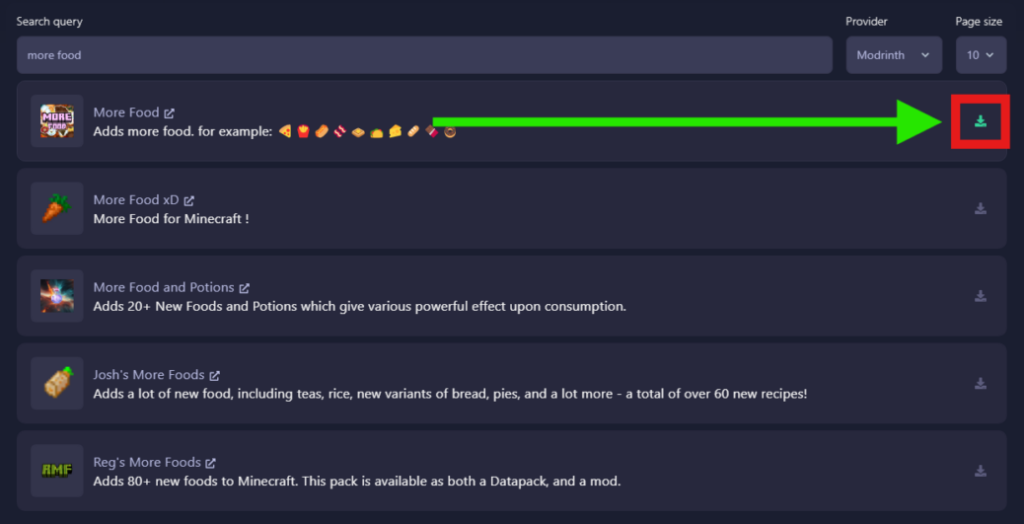
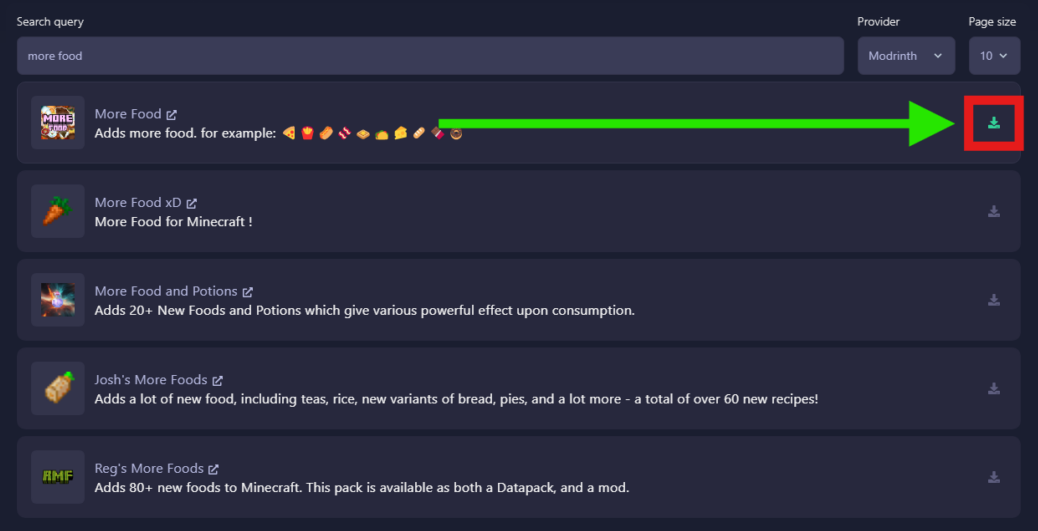
- Search mods directly from the panel
- Install compatible versions instantly
- Avoid mismatched loaders and crashes
✅ Full FTP Access (Advanced Users)
Prefer manual control?
- Upload mods via FileZilla
- Manage configs, modpacks, and custom setups
- Perfect for advanced Forge or Fabric servers
✅ Optimized Performance for Modded Servers
Modded servers need power—and GGServers delivers:
- High-performance CPUs
- NVMe SSD storage
- Low-latency global locations
- Easy RAM upgrades as your mod list grows
Forge vs Fabric: GGServers Supports Both
Forge
- Massive mod library
- Long-standing stability
- Ideal for large modpacks
Fabric
- Lightweight and fast
- Faster updates
- Great for performance-focused mods
GGServers supports both loaders natively, so you can switch depending on your needs.
How Easy Is It Really?
The process is simple:
- Stop your server
- Select Forge or Fabric in the installer
- Install with one click
- Start the server to generate files
- Add mods (automatic installer or FTP)
- Restart and play
That’s it. No complicated setup. No wasted time.
Important Notes for Modded Servers
- Players must install the same mods on their client
- Modded servers usually require more RAM
- Adding or removing mods may require a new world
GGServers’ documentation and live support make these steps easy to manage.
Perfect for Beginners and Advanced Users
Whether you’re:
- Hosting a small modded server for friends
- Running a large Forge modpack
- Testing Fabric performance mods
- Managing multiple worlds
GGServers gives you full control without complexity.
Save 30% on Your Modded Minecraft Server
If you’re ready to start, GGServers makes it even better:
👉 Use code KB30 for 30% OFF your Minecraft server
👉 Reliable, fast, and optimized for mods
👉 One of the best Minecraft hosting providers in the world
Final Verdict: Best Hosting to Install Mods Fast and Easy
If you want:
- Easy mod installation
- Forge & Fabric support
- High performance
- Excellent support
- Beginner-friendly tools
GGServers is the clear winner.
Installing Minecraft mods has never been this easy—and with GGServers, you spend less time configuring and more time playing.