 Billing
& Support
Billing
& Support Multicraft
 Game
Panel
Game
Panel



How to Join Your Enshrouded Server
Stepping into the world of Enshrouded with your friends requires a properly configured server and a few simple steps within the game’s server browser. Because Enshrouded relies on a searchable server name for players to connect, ensuring your server’s identity is correctly set in the panel is the first step to a successful adventure. Follow this guide to locate and join your instance.
Step 1: Access the Panel
Log in to your GGServers Control Panel and select your Enshrouded server. This is where you will manage your server’s visibility and power status.
Step 2: Start the Server
Click the green Start button on your dashboard. Ensure the status changes to “Running” before attempting to find it in the game. If you need to change your server name first, please see the note in Step 4.

Step 3: Navigate to Server Settings
On the left-hand navigation sidebar, click on Server Settings and then select the General Settings tab. This menu contains the essential identity data for your server.

Step 4: Note or Change Your Server Name
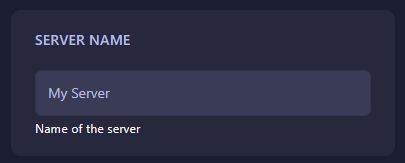
Find the Server Name box and note exactly what is written there; you will need this to search for the server in-game. If you wish to change it, stop the server first, update the name, and then restart the server. The GGServers panel will automatically save any changes made in this box.
Step 5: Launch Enshrouded and Join
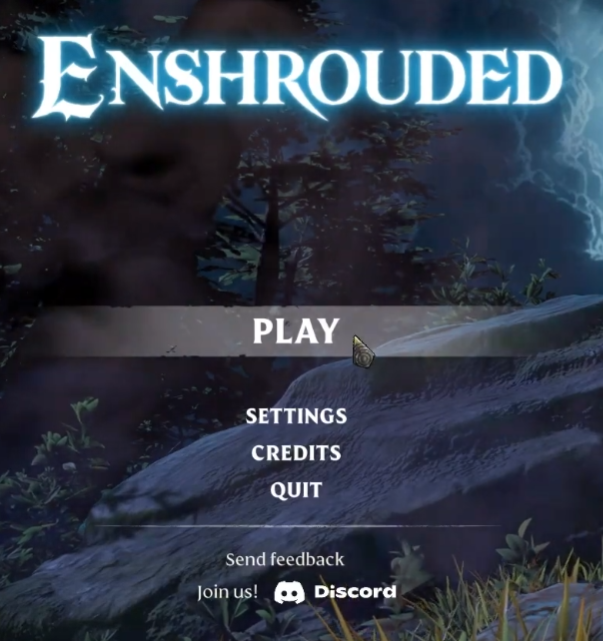
Open the game and click Play from the main menu. On the following screen, select Join to open the server browser.

Step 6: Search for Your Server Name
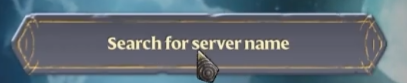
Click on the Search for Server Name box and type the exact name you noted from the panel in Step 4. Your server should appear in the results list below.
Step 7: Connect and Play!
Select your server from the list and click Join. If you have set a password, you will be prompted to enter it now. That is it—you are ready to reclaim the realm!

Survive the Shroud with Enshrouded server hosting at GGServers. Our high-clock-speed CPUs and worldwide locations ensure your building and exploration are always lag-free!