 Billing
& Support
Billing
& Support Multicraft
 Game
Panel
Game
Panel



How to Join Your Black Mesa Server
Connecting to your Black Mesa server is a straightforward process using the in-game server browser. By using your server’s unique IP address, you can ensure you are joining the correct research facility instance for your multiplayer session. Follow the steps below to get into the game.
Step 1: Access the Panel
Log in to your GGServers Control Panel and select your Black Mesa server. This dashboard contains all the connection details you need to join.
Step 2: Start the Server
Before attempting to connect, ensure your server is active. Click the green Start button on the main console and wait for the status to display “Running.”

Step 3: Copy the IP
Locate the Connection Info section on your dashboard. Copy the full IP address and port (e.g., 103.195.100.144:27015). You will use this to identify your server in the browser.

Step 4: Go to Find Servers
Launch Black Mesa on Steam. From the main menu, click on Multiplayer and then select Find Servers to open the Source engine server browser.
Step 5: Find Your Server and Connect
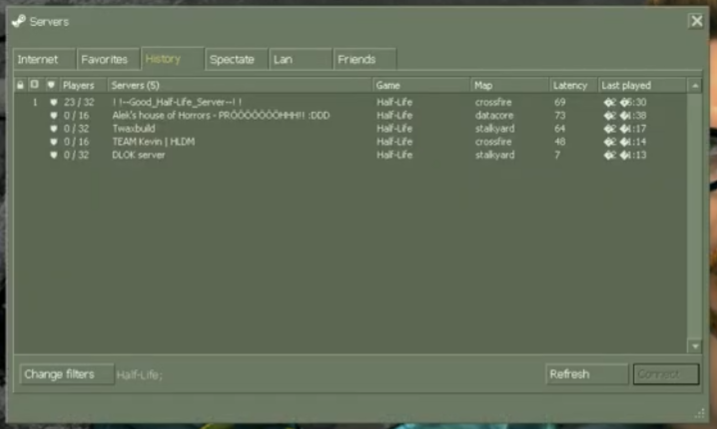
In the server browser, you can look for your server name or use the Favorites tab to add your IP manually. Once you have located your server in the list, click on it and select Connect.
Step 6: Confirm Connection
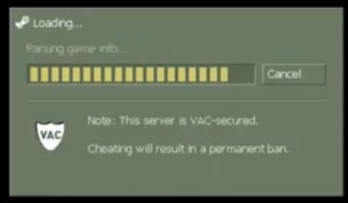
The game will now initialize the connection to your GGServers instance. If you have a password set, you will be prompted to enter it now.
Step 7: That is it!
You are now connected to your Black Mesa server! You are ready to start your multiplayer match in the research facility.
Experience peak performance with Black Mesa server hosting at GGServers. Our premium network and enterprise-grade hardware ensure your deathmatch sessions are lag-free and always online!