 Billing
& Support
Billing
& Support Multicraft
 Game
Panel
Game
Panel



General Info
Creative Mode on a Hytale server allows players to build freely with unlimited resources and no survival restrictions. This guide explains how to enable Creative Mode for individual players or set it as the default gamemode for the entire server.
Enable Creative Mode for a Player (Using Console)
- Access your control panel at panel.ggservers.com
- Go to the Console tab.
- Enter the following command:
gamemode creative <playername>
Enable Creative Mode by Default (Entire Server)
- Access your control panel at panel.ggservers.com
- Stop the server.
- Click on Files then open config.json
- Next to GameMode, change the value to Creative.
– Only Adventure and Creative are available at the moment.
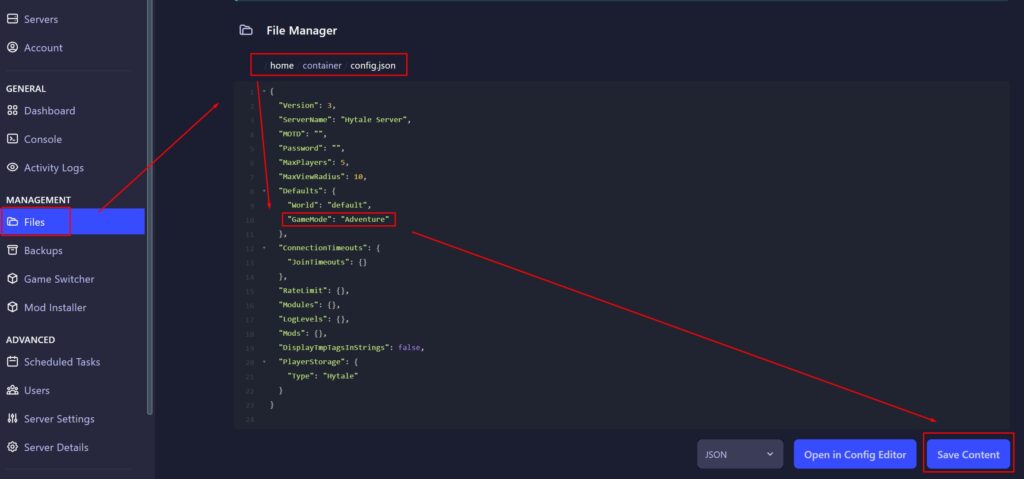
- Press the Save Content button.
- Start the server.