 Billing
& Support
Billing
& Support Multicraft
 Game
Panel
Game
Panel



General Info
In this tutorial, How to Update a Minecraft Modpack on Your Server, you’ll learn the essential steps to safely update your modpack without breaking your world or frustrating your players.
Keeping your Minecraft server up to date doesn’t have to be complicated.
Whether you’re fixing bugs, adding new features, or matching a client update, this guide will walk you through the process clearly and efficiently.
How to Update The Modpack
- First, access your server’s control panel at panel.ggservers.com
- Stop the server and create a backup.
If your server is big, create a backup for your world only.
- Once the backup is completed, access the
Server Type Installertab from the left side menu. - Select the modpack you want to update.
You can browse and select the provider (CurseForge/Modrinth/FTB)
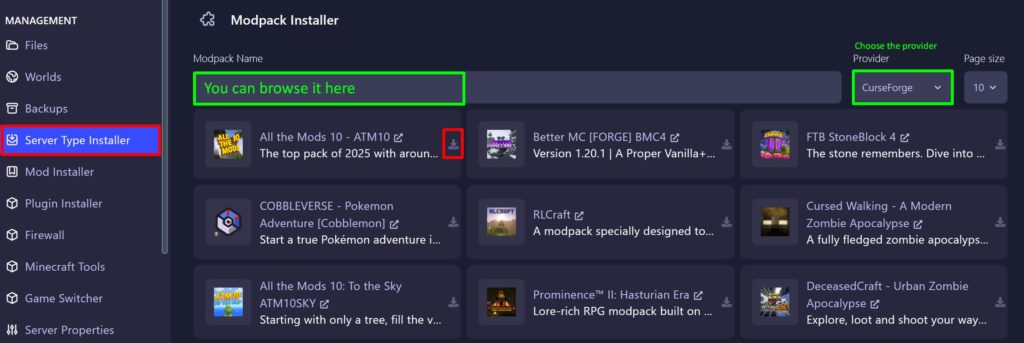
- Select the newest version and click install .
DO NOT delete all the server files.
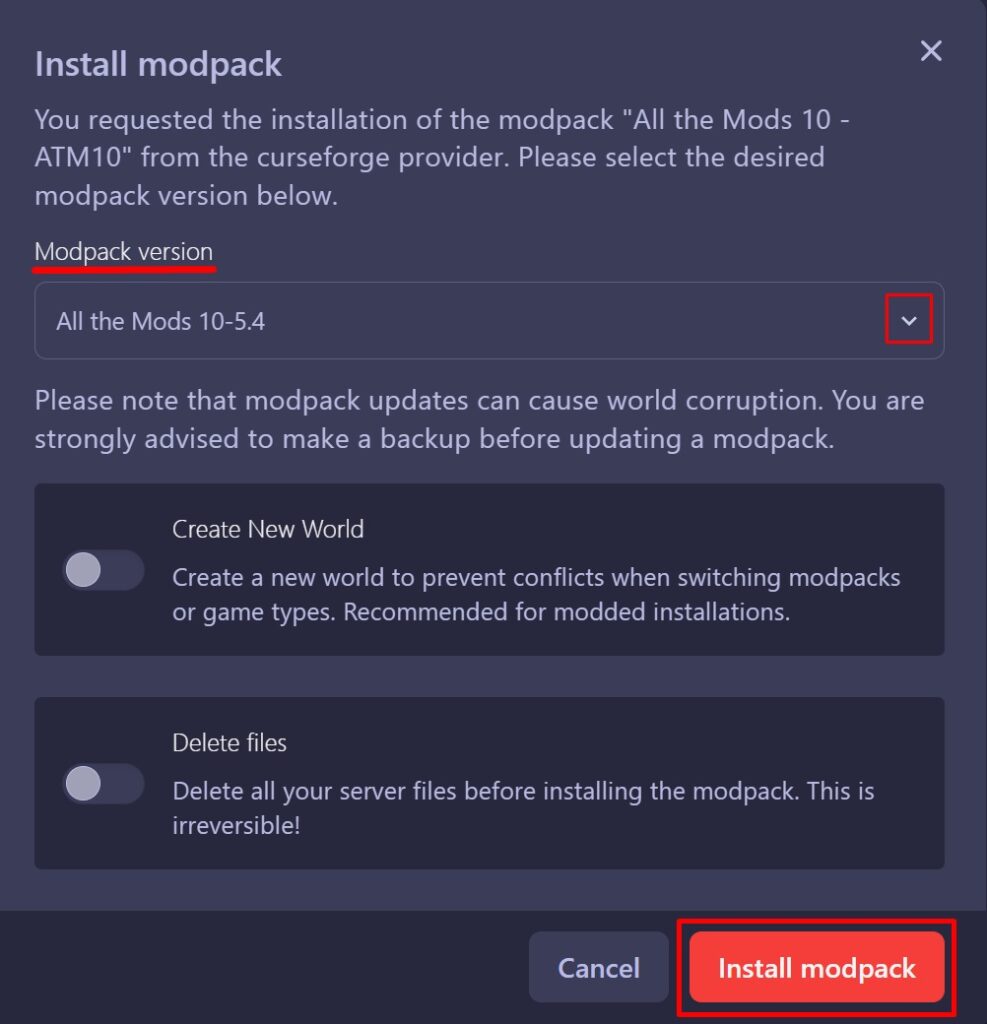
- Wait for the modpack to be installed.
Some modpacks may take longer than others, but if you feel like it’s taking too long, you can refresh the page. - Finally, start the server.