 Billing
& Support
Billing
& Support Multicraft
 Game
Panel
Game
Panel



General Info
Learn how to enable/disable fall damage on your Hytale server with this simple tutorial. We’ll cover the steps to change the server settings, so you can enable or disable the fall damage.
Disabling/Enabling PVP
- First, access your Hytale server on the control panel.
- Click Files on the left side menu.
- Access /home/container/universe/worlds/default/ and open config.json.
- Set IsFallDamageEnabled to true/false and click on Save Content.
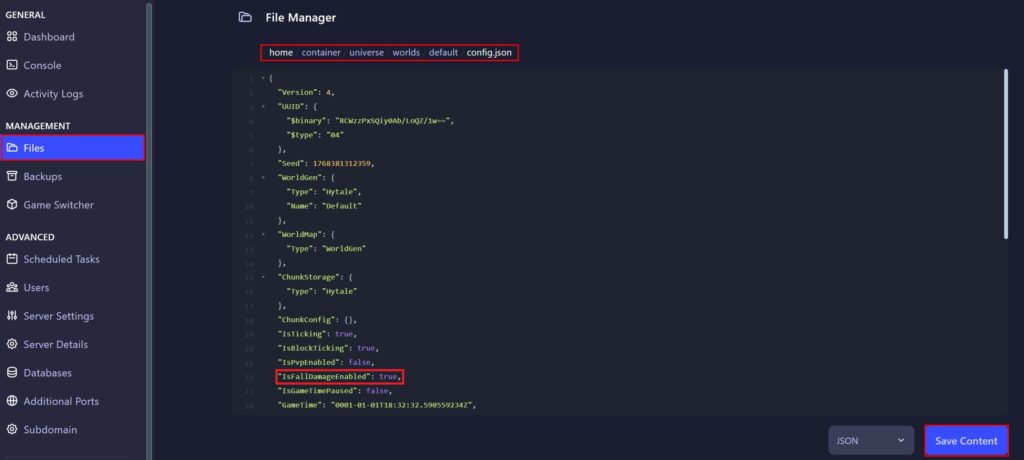
- Finally, start the server again.