 Billing
& Support
Billing
& Support Multicraft
 Game
Panel
Game
Panel



How to Change Your Enshrouded Server Name
Your Server Name is the primary way players identify and find your world in the Enshrouded global server browser. A unique and recognizable name helps your community grow and makes it easier for friends to locate your instance. Using the GGServers panel, you can update this identity in seconds. Follow the steps below to customize your server’s display name.
Step 1: Access the Panel
Log in to your GGServers Control Panel and select your Enshrouded server. This dashboard is where you manage your server’s public identity and configuration.
Step 2: Stop Your Server
To ensure the new name is correctly broadcasted to the Enshrouded master server list, you must first stop the server. Click the red Stop button on the main console. Wait for the status indicator to confirm the server is “Offline” before moving to the settings.

Step 3: Navigate to Server Settings
On the left-hand navigation sidebar, click the Server Settings button. This menu provides access to all the core configuration categories for your Enshrouded instance.

Step 4: Open General Settings
In the Server Settings area, select the General Settings tab. This section contains the fundamental identity parameters for your server, including the name and password fields.

Step 5: Change the Setting That Will Auto Save
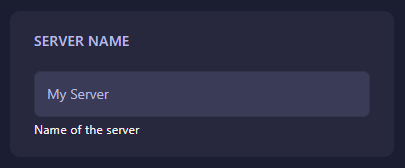
Locate the box labeled Server Name. Type your desired new name into the box. The GGServers panel features an automatic save function, so your new name is recorded the moment you finish typing. Avoid using special characters that might break the in-game search functionality.
Step 6: That is it!
Your server name has been updated! Return to the main dashboard and click Start. Your Enshrouded server will now appear in the browser under its new name, ready for your community to join.
Build your legacy with Enshrouded server hosting at GGServers. Our powerful panel and high-performance NVMe storage ensure your world is always visible and lag-free!