 Billing
& Support
Billing
& Support Multicraft
 Game
Panel
Game
Panel



How to Enable Automatic Updates on Your Left 4 Dead Server
Keeping your Left 4 Dead (L4D) server up to date is essential for security, performance, and compatibility with the latest Steam client versions. By enabling the Auto Update feature, your server will automatically check for and install the latest game files from Steam every time it starts up. This ensures you never miss a critical patch or bug fix. Follow the steps below to automate your maintenance process via the GGServers panel.
Step 1: Access the Panel
Log in to your GGServers Control Panel and select your Left 4 Dead server. This dashboard provides you with all the automation tools needed to manage your zombie apocalypse environment.
Step 2: Stop Your Server
To safely modify the update parameters and allow the system to verify the installation, you must first stop the server. Click the red Stop button on the main console. Wait for the status to show as “Offline” before proceeding to the settings.

Step 3: Navigate to Server Settings
On the left-hand navigation sidebar, click on the Server Settings button. This menu contains the primary configuration categories for your L4D instance.

Step 4: Open General Settings
In the Server Settings area, select the General Settings tab. This section handles the core automation rules for your server, including installation and update preferences.

Step 5: Change the Setting That Will Auto Save
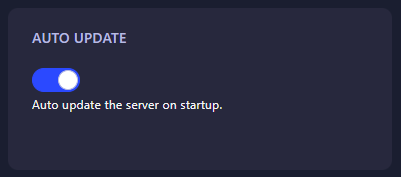
Locate the box labeled Auto Update. Toggle the switch to enable this feature. The GGServers panel features an automatic save function, meaning your preference is recorded the moment you change the setting. Once enabled, the server will verify its files against Steam every time it is booted.
Step 6: That is it!
You have enabled automated maintenance! Return to the main dashboard and click Start. Your Left 4 Dead 2 server will now check for updates and ensure your installation is current before going online.
Keep your survival experience seamless with Left 4 Dead 2 server hosting at GGServers. Our automated tools and high-performance hardware take the stress out of server management!