 Billing
& Support
Billing
& Support Multicraft
 Game
Panel
Game
Panel



How to Allow Operators on Your Hytale Server
Managing a Hytale community requires the right tools and permissions. Operators (often referred to as “Admins”) have the authority to execute commands, manage players, and maintain the server environment. By using the GGServers panel, you can easily toggle the ability for designated players to use operator powers. This guide will walk you through the simple process of enabling this setting.
Step 1: Access the GGServers Panel and Stop Your Server
First, log in to your GGServers Control Panel and select your Hytale instance. To ensure that permission changes are correctly written to the server configuration, you must click the red Stop button before proceeding to the settings menu.

Step 2: Navigate to Server Settings
Once the server is offline, look at the navigation sidebar on the left-hand side of your screen. Click on the Server Settings button to reveal the various configuration categories for your Hytale world.

Step 3: Open the General Settings Tab
From the submenu that appears, select the General Settings tab. This section contains the primary identity and permission toggles, allowing you to manage your server without editing raw JSON files.

Step 4: Enable the Allow Operators Toggle
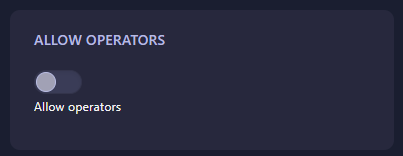
Scroll down until you find the box labeled Allow operators. Toggle this switch to the “on” position to enable administrative powers on your server. The GGServers panel features an auto-save system, so your change is applied the moment you click the switch.
Step 5: Start Your Server
Return to the main dashboard and click Start. Your Hytale server is now configured to recognize operators, allowing you to use administrative commands in-game to manage your players and world!
Building an empire in Orbis is easier when you have total control. For the most reliable performance and easy-to-use management tools, get your Hytale Server Hosting at GGServers today. Our panels are designed to give you full authority over your multiplayer world with just a few clicks.