 Billing
& Support
Billing
& Support Multicraft
 Game
Panel
Game
Panel



How to Set Up GSLT Authentication on Your Insurgency Server
Setting up a Game Server Login Token (GSLT) is a crucial step for any Insurgency server owner. Steam requires a GSLT to verify the ownership of a dedicated server and to ensure it remains visible in the public server browser. Without this authentication, players may have difficulty finding your server, and you won’t be able to build a consistent community. Follow these steps to generate and apply your GSLT using the GGServers panel.
Step 1: Access the GGServers Panel
First, log in to your account at the GGServers Control Panel. Select your Insurgency server from the dashboard to begin the configuration process.
Step 2: Stop Your Server
Before modifying authentication settings, you must Stop your server. This ensures that the new login token is properly integrated into the server’s launch parameters during the next startup sequence.

Step 3: Navigate to Server Settings
Look for the navigation sidebar on the left side of the dashboard. Click on the Server Settings menu to expand your configuration options.

Step 4: Open the General Settings Tab
From the submenu, select the General Settings tab. This section contains the essential network and identity variables for your server instance.

Step 5: Generate and Apply Your GSLT
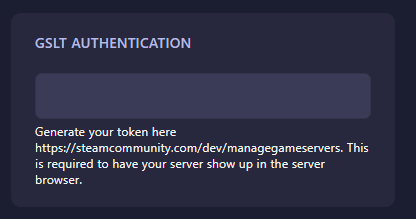
You will need to generate a token from Steam. Go to the Steam Game Server Account Management page. Use App ID 581320 for Insurgency: Sandstorm. Once you have your token, locate the GSLT Authentication field in the GGServers panel and paste it in. The panel will automatically save the change for you.
Step 6: Restart the Server
Return to your main dashboard and click Start. Your server is now authenticated with Steam and will be fully visible in the server browser!
If you encounter any issues or your server still doesn’t appear, please contact our support team at GGServers Support.