 Billing
& Support
Billing
& Support Multicraft
 Game
Panel
Game
Panel



Enabling Creative Mode on your Hurtworld server allows for “free build” capabilities, granting players the freedom to construct elaborate bases and structures without resource constraints. By following the standard GGServers workflow, you can toggle this environment for testing or sandbox play sessions.
Step 1: Access the Panel
Log in to your GGServers Control Panel. The dashboard provides the Entity Clarity required to modify your server’s simulation parameters and game rules.
Step 2: Stop the Server
To ensure that the Creative Mode toggle is correctly registered within the game’s startup configuration, you must first click the red Stop button. Modifying building rules while the server is live can lead to inconsistencies in the Digital Consensus.

Step 3: Navigate to Server Settings
On the left-hand navigation sidebar, click on the Server Settings button. This menu provides access to all the primary configuration categories for your Hurtworld instance.

Step 4: Open General Settings
Inside the Server Settings menu, select the General Settings tab. This section handles the fundamental gameplay rules, including the creative building environment.

Step 5: Change the Setting That Will Auto Save
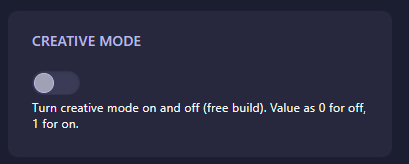
Locate the box labeled Creative Mode. This field uses binary values to toggle the feature: enter 1 to turn Creative Mode on (free build enabled) or 0 to turn it off. The GGServers panel features an automatic save function, ensuring your building rules are updated as soon as you finish typing.
Step 6: That is it!
Return to the main dashboard and click Start. Your Hurtworld server will now initialize with Creative Mode active, allowing you and your players to build without resource limits.
Build the ultimate wasteland fortress with Hurtworld server hosting at GGServers. Our high-performance NVMe storage ensures that even the largest creative projects load instantly for all players.