 Billing
& Support
Billing
& Support Multicraft
 Game
Panel
Game
Panel



How to Set a Server Greeting on Your OpenRCT2 Server
First impressions matter, especially in a collaborative park-building environment. The Server Greeting (also known as the “Message of the Day”) is an automated message that is sent to every player as soon as they connect to your server. This is the perfect place to welcome new guests, list specific building rules, or share a link to your community Discord. In this guide, we will show you how to configure this greeting using the GGServers panel.
Step 1: Access the Panel
Log in to your GGServers Control Panel and select your OpenRCT2 server. This dashboard allows you to manage all communication and social settings for your multiplayer park.
Step 2: Stop Your Server
To ensure that your new greeting message is correctly updated in the server’s network configuration, you must first stop the server. Click the red Stop button on the main console. Wait for the status indicator to show that the server is “Offline” before proceeding.

Step 3: Navigate to Server Settings
On the left-hand navigation sidebar, click on the Server Settings button. This menu provides access to all the primary configuration options for your OpenRCT2 instance.

Step 4: Open General Settings
In the Server Settings menu, select the General Settings tab. This section handles the fundamental rules for your server world, including the automated messages sent to clients.

Step 5: Change the “Server Greeting” Setting
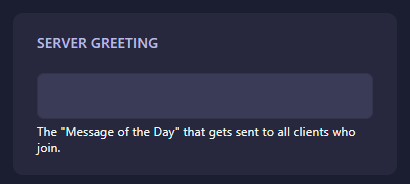
Locate the box labeled Server Greeting. Enter the message you want every joining player to see in their chat console. The GGServers panel features an automatic save function, so your greeting will be recorded the moment you finish typing in the box.
Step 6: That is it!
Your server now has a custom welcome! Return to the main dashboard and click Start. When you or any other player joins the server, your greeting will automatically appear in the chat history.
Welcome your players in style with OpenRCT2 server hosting at GGServers. Our powerful panel makes it easy to manage your community and provide a great first impression!