 Billing
& Support
Billing
& Support Multicraft
 Game
Panel
Game
Panel



How to Configure Reserved Slots on Your Squad Server
For community owners and administrators, ensuring that staff members and VIPs can access the server even during peak hours is vital. Reserved slots allow designated players to bypass full-capacity restrictions, ensuring your moderation team can always get into the game to manage the community. Follow this guide to set up reserved slots using the GGServers panel.
Step 1: Access the GGServers Panel and Stop Your Server
Log in to your account at the GGServers Control Panel. Before adjusting slot allocations, you must Stop your server. This ensures the configuration changes are properly written to the server files before it restarts.

Step 2: Navigate to Server Settings
On the left-hand navigation sidebar, click on the Server Settings button. This will expand the management tabs for your Squad instance.

Step 3: Open the General Settings Tab
From the submenu, select the General Settings tab. This section contains the core configuration fields for your server’s player capacity and slot rules.

Step 4: Set Your Reserved Slots
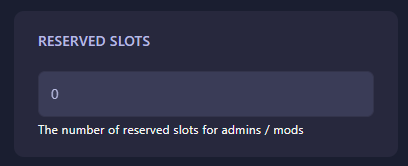
Locate the box labeled Reserved slots. Enter the number of slots you wish to set aside specifically for administrators and whitelisted players. The GGServers panel features an auto-save system, so your new limit is saved instantly as you finish editing the field.
Step 5: Start Your Server
Once you have configured the reserved slots, return to the main dashboard and click Start. Your Squad server will now have the designated slots set aside for your staff and VIP members.
If you need help with whitelisting players for these slots or other configuration issues, please contact our team at GGServers Support.