 Billing
& Support
Billing
& Support Multicraft
 Game
Panel
Game
Panel



How to Enable or Disable Authentication on Your Dune 2000 Server
Securing your Dune 2000 server is vital for managing your community and preventing unauthorized access. By enabling the Require Authentication setting, you ensure that players must be verified before joining your matches on Arrakis. This is especially useful for competitive leagues or private clan servers. In this guide, we will show you how to toggle this security feature using the GGServers panel.
Step 1: Stop Your Server
To apply security and authentication changes, you must first stop the server process. Log in to your GGServers Control Panel, select your Dune 2000 instance, and click the red Stop button. Wait for the status indicator to confirm the server is offline.

Step 2: Access Server Settings
On the left-hand navigation sidebar, click on the Server Settings button. This menu provides access to the high-level configuration tools for your Dune 2000 server.

Step 3: Open General Settings
Within the settings menu, click on the General Settings tab. This section contains the core identity and connection rules for your server, including the authentication toggle.

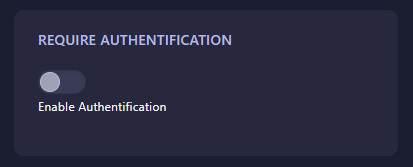
Step 4: Toggle “Require Authentication”
Locate the box labeled Require Authentication. Use the switch to enable or disable the requirement. When turned on, only authenticated users will be permitted to connect to your game sessions. The GGServers panel features an auto-save function, so your change is recorded immediately.
Step 5: Start Your Server
Return to the main dashboard and click Start. Your Dune 2000 server is now configured with the updated authentication rules, ensuring a more secure environment for your players!
Dominate the sands with total peace of mind. Get your Dune 2000 server hosting at GGServers and enjoy advanced security features and 24/7 reliability!