 Billing
& Support
Billing
& Support Multicraft
 Game
Panel
Game
Panel



How to Pause Simulation When No Clients are Connected to Your OpenRCT2 Server
In a dynamic theme park, time never stops—unless you want it to. By enabling the Pause Server If No Clients setting, your OpenRCT2 server will freeze the game simulation whenever the park is empty. This is incredibly useful for preventing your park from running out of money, stopping rides from breaking down while you’re away, and ensuring that no in-game events progress without supervision. Follow the steps below to configure this on the GGServers panel.
Step 1: Access the Panel
Log in to your GGServers Control Panel and select your OpenRCT2 server. This dashboard allows you to manage the simulation behavior and resource usage of your park.
Step 2: Stop Your Server
To ensure the simulation rules are correctly updated, you must first stop the server. Click the red Stop button on the main console. Wait for the status indicator to show “Offline” before moving to the settings menu.

Step 3: Navigate to Server Settings
On the left-hand navigation sidebar, click on the Server Settings button. This menu provides access to the core technical configurations for your OpenRCT2 instance.

Step 4: Open General Settings
Within the settings menu, select the General Settings tab. This section manages the fundamental behavior of your server, including how it handles empty player slots.

Step 5: Change the “Pause Server If No Clients” Setting
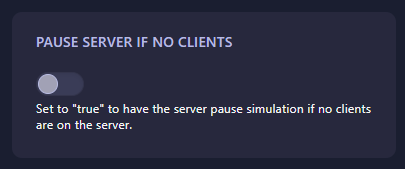
Locate the box labeled Pause Server If No Clients. Use the switch to set this to “true” if you want the park simulation to stop when everyone logs off. If you want the park to keep running 24/7, leave it as “false.” The GGServers panel features an automatic save function, so your choice is applied immediately.
Step 6: That is it!
You have updated your simulation settings! Return to the main dashboard and click Start. Your OpenRCT2 server will now intelligently pause or continue the game based on player presence.
Keep your park profitable and protected with OpenRCT2 server hosting at GGServers. Our intuitive control panel gives you total power over your theme park’s simulation!