 Billing
& Support
Billing
& Support Multicraft
 Game
Panel
Game
Panel



How to Configure Additional Switches on Your Insurgency Server
For advanced users looking to fine-tune their Insurgency experience, “Additional Switches” (also known as startup arguments) provide a way to enable specific features or technical overrides that aren’t available in the standard menus. Using these command-line arguments, you can further customize your server’s behavior, performance, and gameplay mechanics. Follow this guide to learn how to add these switches via the GGServers panel.
Step 1: Access the GGServers Control Panel
First, log in to your account at the GGServers Panel. Select the Insurgency server instance you want to modify from your dashboard.
Step 2: Stop Your Server
Before applying advanced startup arguments, you must Stop your server. Since “switches” are loaded at the very beginning of the server’s boot process, they will only take effect if the server is restarted after the changes are made.

Step 3: Navigate to Server Settings
Locate the navigation menu on the left side of your screen. Click on Server Settings to reveal the configuration sub-menus.

Step 4: Open General Settings
Once inside the settings menu, click on the General Settings tab. This section contains the core variables used to launch your server instance.

Step 5: Add Your Additional Switches
Look for the input box labeled Additional Switches. You can enter your command-line arguments here. If you are unsure which switches are available, we recommend consulting the official Insurgency: Sandstorm Server Admin Guide for a comprehensive list of commands.
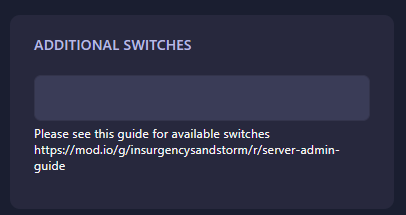
The GGServers panel features an auto-save system, so your switches will be saved instantly as you input them.
Step 6: Restart Your Server
Return to the main dashboard and click Start. Your server will now launch with the custom switches applied. You can check your server console logs to verify that the arguments were successfully recognized.
If you need further assistance or if your server fails to start after adding a specific switch, please reach out to our support team at GGServers Support.