 Billing
& Support
Billing
& Support Multicraft
 Game
Panel
Game
Panel



How to Join Your Sunkenland Dedicated Server
Sunkenland uses a region-based matchmaking system for its dedicated servers. To find your server in the in-game browser, you must ensure your game client is looking in the same region where your server is hosted. Follow this step-by-step guide to identify your server details and connect successfully.
Step 1: Start Your Server
Log in to the GGServers Control Panel. Navigate to your Sunkenland server dashboard and click the Start button. Ensure the status indicator shows the server is online.

Step 2: Note Your Server Region and Name
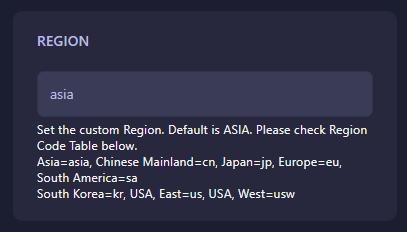
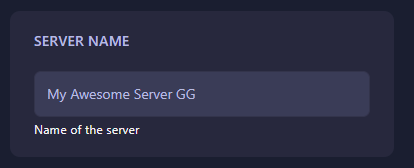
In the sidebar, go to Server Settings and then General Settings. Note down (or change) the following two fields:
- Region: This determines which cluster your server appears in. (e.g., asia, eu, us, usw, sa, jp, kr).
- Server Name: The exact name that will appear in the search results.
Step 3: Launch Sunkenland and Find the Browser
Launch the game and click on Start Game from the main menu. On the next screen, select Join Server.

Step 4: Search for Your Dedicated Server
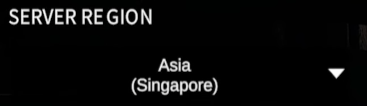
At the top of the join menu, click on the Dedicated Server tab. Use the Region dropdown to select the region that matches your GGServers panel settings. Finally, type your Server Name into the search bar.
Step 5: Connect and Play
Once your server appears in the list, click on it to connect. If you set a password in the panel, you will be prompted to enter it now.

If you have any trouble finding your server or need assistance with region codes, please contact us at GGServers Support.