 Billing
& Support
Billing
& Support Multicraft
 Game
Panel
Game
Panel



Joining a Garry’s Mod server is simple and quick when you know the steps. In this guide, we will show you how to connect to your Garry’s Mod server effortlessly using GGServers.
Step 1: Start Your Garry’s Mod Server

First, log into your GGServers account and start the Garry’s Mod server you want to join. Make sure the server is fully online before proceeding.
Step 2: Copy Your Server IP Address
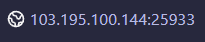
Next, copy the IP address and port of your server from the GGServers panel. This information is required to connect to your server from the game.
Step 3: Open Garry’s Mod and Find Your Server
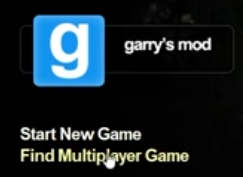
Launch Garry’s Mod and navigate to Find Multiplayer Game. Your server should appear in the list if it is online and public. Simply click on your server to join.
Alternative Method: Connect via Console
If your server doesn’t appear in the list, you can join directly using the console. Press the key on your keyboard to open the console menu and type the following command:
connect IP

Example:

connect 103.195.100.144:25933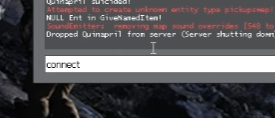
After typing the command, press Enter to connect to your Garry’s Mod server instantly.
Step 4: Enjoy Your Game!
That’s it! You’re now connected to your Garry’s Mod server and ready to play. Enjoy your gaming experience with friends or the community on your GGServers-hosted server.
If you encounter any issues or need additional assistance, contact GGServers support at https://ggservers.com/billing/submitticket.php for fast help.