 Billing
& Support
Billing
& Support Multicraft
 Game
Panel
Game
Panel



How to Join Your Barotrauma Server via Direct IP
Navigating the frozen oceans of Europa is easier when you can connect to your crew instantly. While the global lobby is an option, using the Direct Join method with your server’s IP address is the most reliable way to bypass browser lag and find your submarine. Follow the steps below to connect to your GGServers instance.
Step 1: Access the Panel
Log in to your GGServers Control Panel and select your Barotrauma server. Your connection details are located on the main dashboard.
Step 2: Start the Server
Ensure your server is powered on before trying to join. Click the green Start button and wait for the status to change to “Running.”

Step 3: Copy the IP
Locate the Connection Info field. Copy the numerical IP address and port (e.g., 103.195.100.144:27015). You will need this full string to find your sub.

Step 4: Navigate to the Server Browser
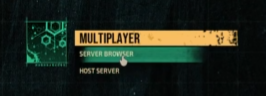
Launch Barotrauma. From the main menu, click on Multiplayer and then select Server Browser.
Step 5: Select Direct Join
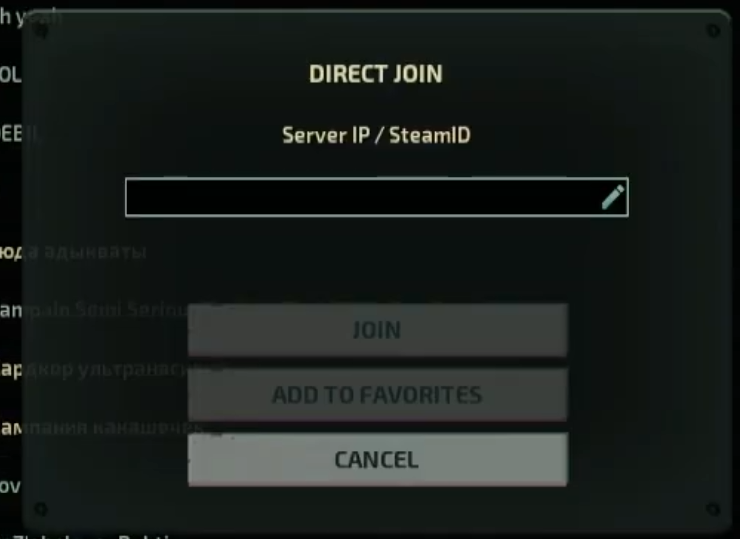
In the Server Browser window, click the Direct Join button located at the bottom of the screen.

Step 6: Paste the IP and Join
Paste your server’s IP address and port into the input box. Click the Join button to establish the connection.
Step 7: Confirm and Favorite
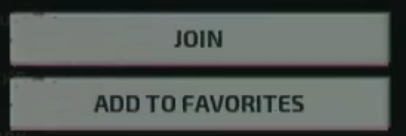
Once the server appears, click Join again to enter the lobby. You can also use the Add to Favorites feature here to ensure the server is saved for your next dive.
Dive deeper with Barotrauma server hosting at GGServers. Our premium network and NVMe storage ensure your crew experiences no lag while battling the terrors of the deep!