 Billing
& Support
Billing
& Support Multicraft
 Game
Panel
Game
Panel



Changing the max players on your ARK server is very easy when using GGServers’ optimized control panel. This guide will show you how to safely update your player limit in just a few steps.
Step 1 — Access the GGServers Control Panel & Stop the Server
Go to https://panel.ggservers.com/ and stop your ARK server before making any changes.

Step 2 — Open Server Settings
In the left-side navigation menu, click Server Settings to access your configuration panel.

Step 3 — Go to General Settings
Inside the menu, click General Settings to access basic server configuration options.

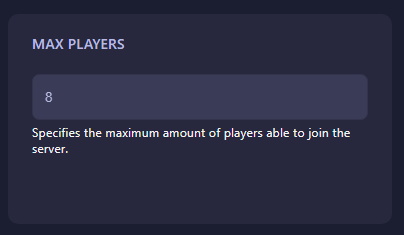
Step 4 — Change the Max Players Setting
Find the field labeled Max Players and enter the new maximum number of players you want your server to support.
Step 5 — Auto-Save & Restart
Your changes are saved automatically. Once done, start your server again to apply the new player limit.
Tip: Increasing your max player limit may require more resources. GGServers offers affordable upgrades with high-performance hardware to keep your ARK world running smoothly.
Use code KB30 for 30% OFF at GGServers ARK Hosting. Enjoy top-tier hardware, instant setup, mod support, clusters, and world-class performance.
Need help? Open a support ticket anytime: https://ggservers.com/billing/submitticket.php