 Billing
& Support
Billing
& Support Multicraft
 Game
Panel
Game
Panel



Changing your ARK admin password is quick and easy when using GGServers’ optimized control panel. The admin password is essential for running commands, managing players, and keeping full control of your ARK server. Follow this simple, SEO-friendly guide to update it safely.
Step 1 — Access the GGServers Control Panel & Stop the Server
Go to https://panel.ggservers.com/ and stop your server before making admin-level configuration changes.

Step 2 — Open Server Settings
On the left-side navigation menu, click Server Settings to access all ARK configuration options.

Step 3 — Go to General Settings
Inside the settings menu, select General Settings. This section includes all security and access control fields.

Step 4 — Locate the Admin Password Field
Find the box labeled Admin Password. This is the value used to run admin commands in-game (enablecheats).
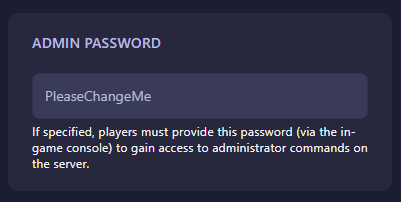
Step 5 — Auto-Save & Restart the Server
The panel automatically saves as soon as you type a new admin password — no save button required. When done, simply start your server again.
Use code KB30 for 30% OFF at GGServers ARK Hosting. Enjoy ultra-fast hardware, instant mod installs, clusters, backups, and unmatched support.
Need extra help? Open a support ticket anytime: https://ggservers.com/billing/submitticket.php