 Billing
& Support
Billing
& Support Multicraft
 Game
Panel
Game
Panel



How to Hide or Anonymize IPs on Your Dune 2000 Server
Privacy is a top priority for many server owners on Arrakis. By enabling the Anonymized IPs feature, you can protect your players’ data by masking their full IP addresses in your server logs and public records. This is a great way to comply with privacy standards and provide a safer environment for your community. On the GGServers panel, toggling this feature is quick and easy. Follow the steps below to hide IPs on your Dune 2000 server.
Step 1: Stop Your Server
Before modifying any privacy or connection settings, you must first stop the server. Log in to your GGServers Control Panel, locate your Dune 2000 instance, and click the red Stop button. Wait for the status indicator to turn red before proceeding.

Step 2: Navigate to Server Settings
On the left-hand sidebar of your dashboard, click on Server Settings. This section contains the core configuration categories for managing your Dune 2000 environment.

Step 3: Open General Settings
Once inside the settings menu, click on the General Settings tab. This area manages the main connection and identity rules for your server, including player privacy options.

Step 4: Toggle “Anonymized IPs”
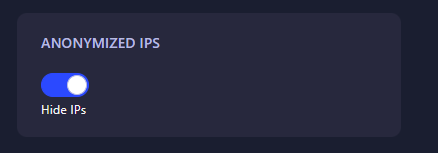
Look for the setting labeled Anonymized IPs. Click the switch to toggle it on. When enabled, the server will mask a portion of player IP addresses, ensuring their full location data remains private. The GGServers panel features auto-save, so your change is recorded the moment you flip the switch.
Step 5: Start Your Server
Return to the main dashboard and click Start. Your Dune 2000 server is now running with IP anonymization enabled, protecting the privacy of everyone who joins!
Protect your players and host with confidence. Get your Dune 2000 server hosting at GGServers and enjoy advanced privacy features and professional 24/7 support!