 Billing
& Support
Billing
& Support Multicraft
 Game
Panel
Game
Panel



How to Enforce Team Balance on Your Squad Server
Maintaining a fair distribution of players is essential for a high-quality Squad experience. When teams become numerically uneven, it can lead to one-sided matches and a poor experience for the community. The GGServers panel provides a built-in toggle to enforce team balance, ensuring the game automatically manages player distribution. Follow this guide to enable team balance enforcement.
Step 1: Access the GGServers Panel and Stop Your Server
Log in to the GGServers Control Panel. Before adjusting gameplay balance rules, you must Stop your server. This ensures the configuration change is successfully applied to the server’s startup parameters.

Step 2: Navigate to Server Settings
On the left-side navigation sidebar, click on the Server Settings menu. This will open the various configuration tabs for your Squad instance.

Step 3: Open the General Settings Tab
Within the server settings sub-menu, click on the General Settings tab. This section contains the core automation and gameplay toggles for your server.

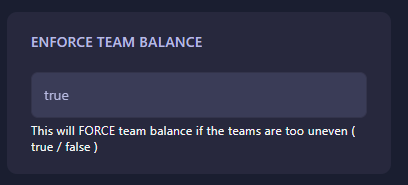
Step 4: Enable Enforce Team Balance
Find the box labeled Enforce team balance. Use the toggle switch to enable this feature. When active, the server will monitor player counts on both sides and prevent new joins to the larger team. The GGServers panel features an auto-save system, so your setting is saved instantly.
Step 5: Start Your Server
Return to the main dashboard and click Start. Your Squad server will now automatically enforce player balance during your matches!
If you have further questions or need help with your server configuration, feel free to contact us at GGServers Support.