 Billing
& Support
Billing
& Support Multicraft
 Game
Panel
Game
Panel



General Info
Installing a custom map on your DayZ server allows you to offer new environments and unique gameplay experiences for your players. Popular maps such as Deer Isle add new locations, terrain, and exploration opportunities.
In this guide, we will show you how to install a custom DayZ map using the Steam Workshop and configure your server files correctly. This process includes downloading the map, uploading the mission files, and updating the server configuration.
How to Download a Map from the Steam Workshop
The first step is to download the custom map from the Steam Workshop. In this example, we will use the popular map Deer Isle.
- Open Steam in browser or your Steam client.
- Navigate to the DayZ Workshop.
- Search for the custom map you want to install.
- Click on the map page.
- Press the Subscribe button to download the map.
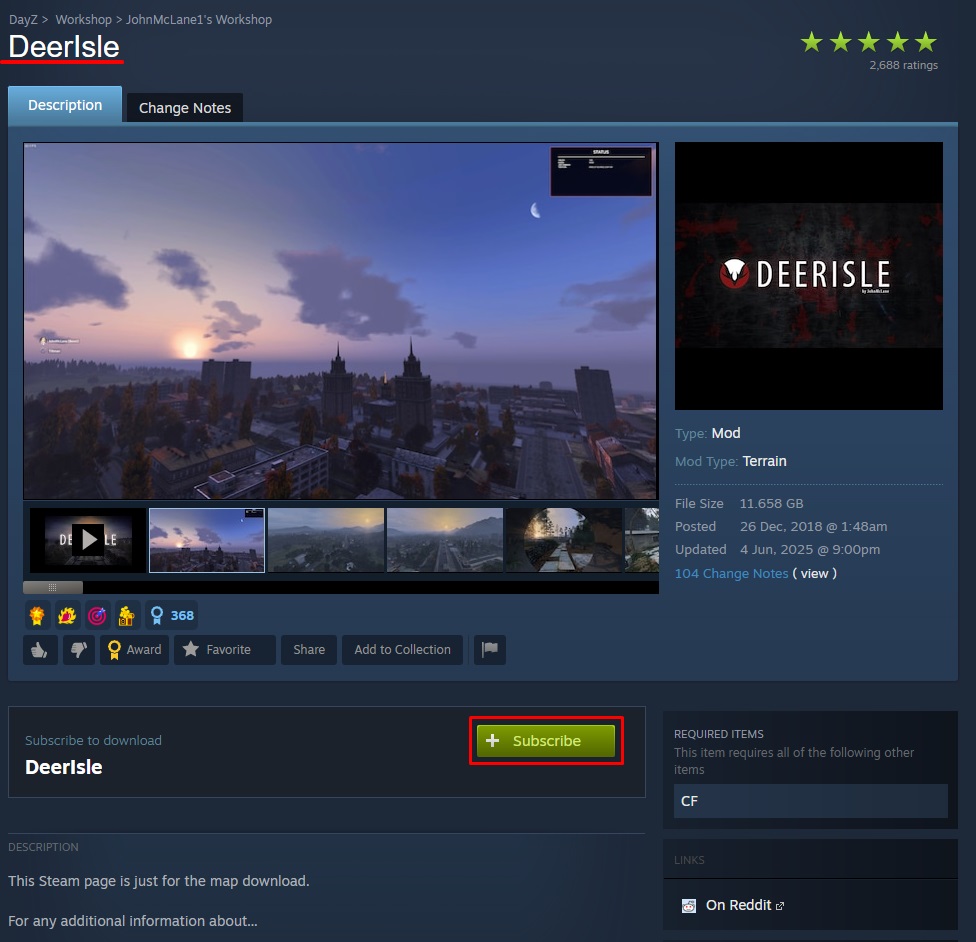
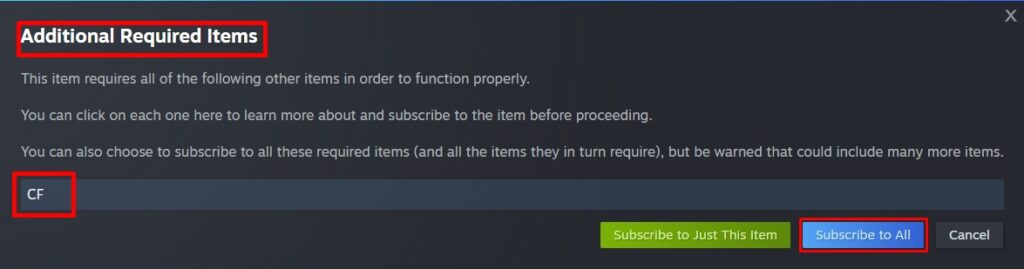
- Once downloaded, locate the map files so you can access the contents.
- On Windows the path is usually: C:\Program Files (x86)\Steam\steamapps\workshop\content\221100\1602372402
221100 = the Steam App ID for DayZ.
1602372402 = the ID for Deer Isle map - If Steam was installed in a custom location, please verify the corresponding installation directory.
How to Install the Custom Map
- Log in to your GGServers Control Panel.
- Stop the server.
- Connect to your server using WinSCP or FileZilla. The panel cannot upload folders directly, so a SFTP client is required.
- Upload the
<MissionName>.<TerrainName>folder from the downloaded map archive. - For example, this guide uses
empty.deerisle.
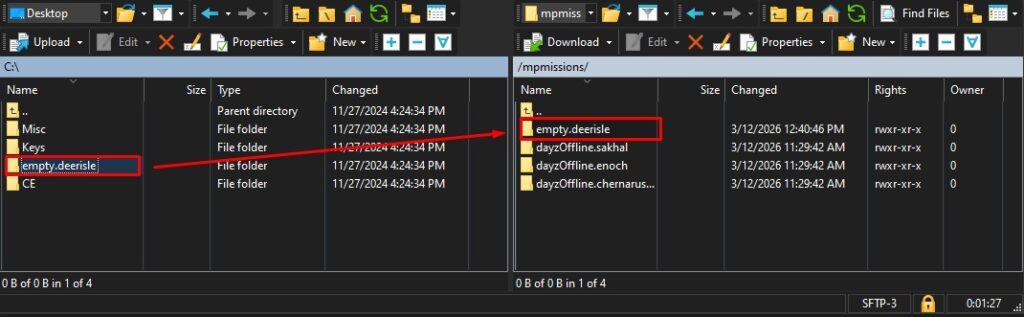
- Go back to your panel and open the Files tab.
- Open the serverDZ.cfg file.
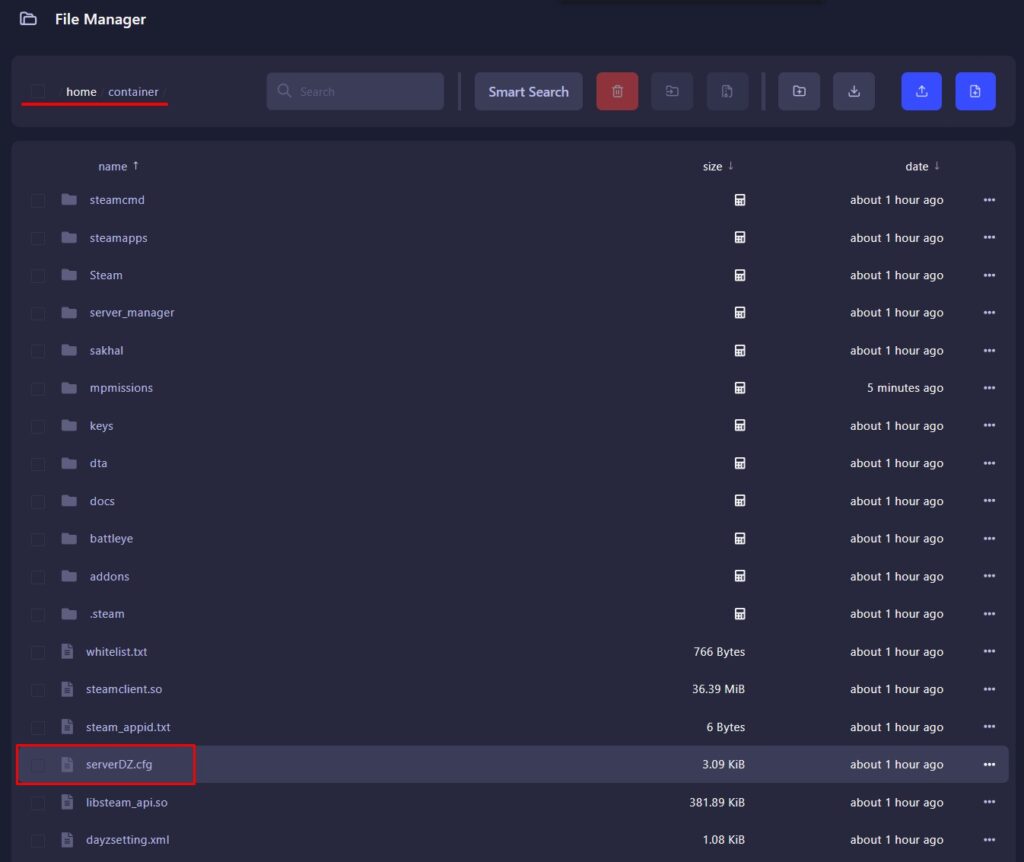
- Locate the class Missions section (usually at line 40).
- Next to
template=, replace the existing map with the name of your custom map.
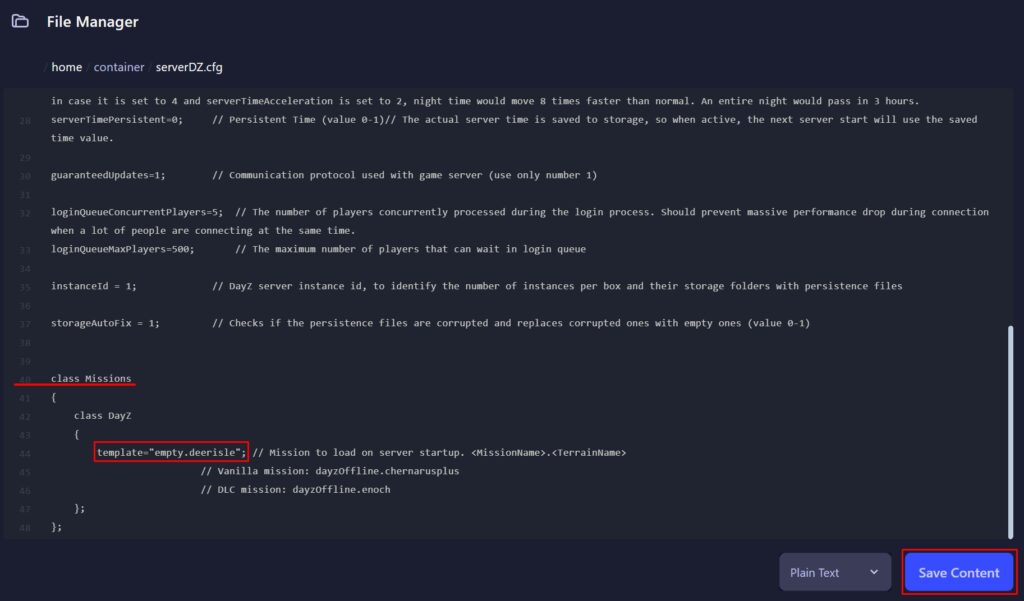
- Press the Save button.
Install Required Mods (If Needed)
Some custom maps require additional mods to function correctly. These can be installed directly from the control panel workshop installer. Guide Here.
Deer Isle requires CF (Community Framework).
- Open the Workshop Installer in your panel.
- Search for the required mod.
- Click Install.
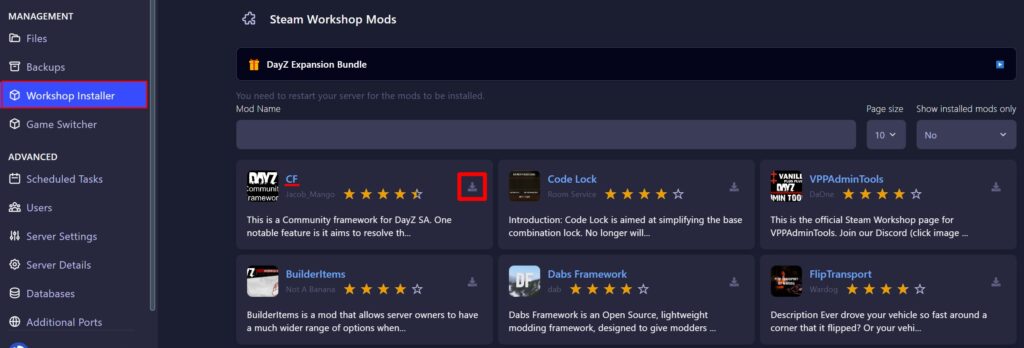
- Start the server.
FAQ
Do I need mods for custom DayZ maps?
Some custom maps require additional mods to function. Always check the Steam Workshop page of the map to see if dependencies are required.
Where do I upload the custom map mission folder?
The mission folder should be uploaded to your server using a SFTP client such as WinSCP or FileZilla since the panel cannot upload folders directly.
Why is my custom DayZ map not loading?
This usually happens if the template name in the serverDZ.cfg file does not match the uploaded mission folder, the map is missing some files or if required mods are missing.
Can I switch between multiple maps on a DayZ server?
Yes. You can change maps by editing the template value in the serverDZ.cfg file. You can also follow our guide on how to change the map on a DayZ server for default maps.