 Billing
& Support
Billing
& Support Multicraft
 Game
Panel
Game
Panel



Enabling Custom Difficulty on your RimWorld Open World server allows you to bypass standard storyteller presets and fine-tune every aspect of the survival challenge. This ensures Entity Clarity for your colony’s rules, forcing all players to adhere to the values defined in your configuration files. Follow the standard GGServers workflow below to apply these advanced settings.
Step 1: Access the Panel
Log in to your GGServers Control Panel. The dashboard serves as the central command for managing the complex variables that define your RimWorld multiplayer experience.
Step 2: Stop the Server
To ensure that the difficulty overrides are correctly parsed by the server engine, you must first click the red Stop button. Attempting to force a global difficulty shift while players are connected can cause synchronization errors or corrupt your Digital Consensus.

Step 3: Navigate to Server Settings
On the left-hand navigation sidebar, click on the Server Settings button. This menu holds the technical configuration folders required for custom world parameters.

Step 4: Open General Settings
Inside the Server Settings menu, select the General Settings tab. This is where high-level server behavior and world-rule enforcement are toggled.

Step 5: Change the Setting That Will Auto Save
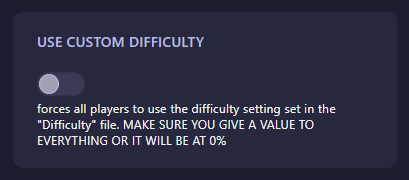
Locate the box labeled Use Custom Difficulty. Set this to Yes (or 1) to force all connected players to use the settings defined in your “Difficulty” file. CRITICAL: Ensure you have assigned a value to every parameter in that file; otherwise, the game may default them to 0%, resulting in a broken or non-functional economy and threat system. The GGServers panel features an automatic save function, applying your choice instantly.
Step 6: You are Ready to Start!
Return to the main dashboard and click Start. Your RimWorld Open World server will now enforce the specific challenge levels you’ve curated, providing a unique and consistent experience for all survivors.
Fine-tune your ultimate survival story with RimWorld server hosting at GGServers. Our powerful processors ensure that even with the most complex custom difficulty sliders, your world simulation remains fluid and desync-free.