 Billing
& Support
Billing
& Support Multicraft
 Game
Panel
Game
Panel



General Info
Adding admins to your Counter-Strike 2 server allows trusted players to manage the server, moderate players, and run important commands. This is usually done using an admin plugin such as MiniAdmin (BaseAdmin).
In this guide, we will show you how to install the MiniAdmin plugin and configure it so you can add or remove admins on your Counter-Strike 2 server using console commands.
Install the MiniAdmin Plugin
- Download the MiniAdmin plugin from here. MiniAdmin is also called BaseAdmin.
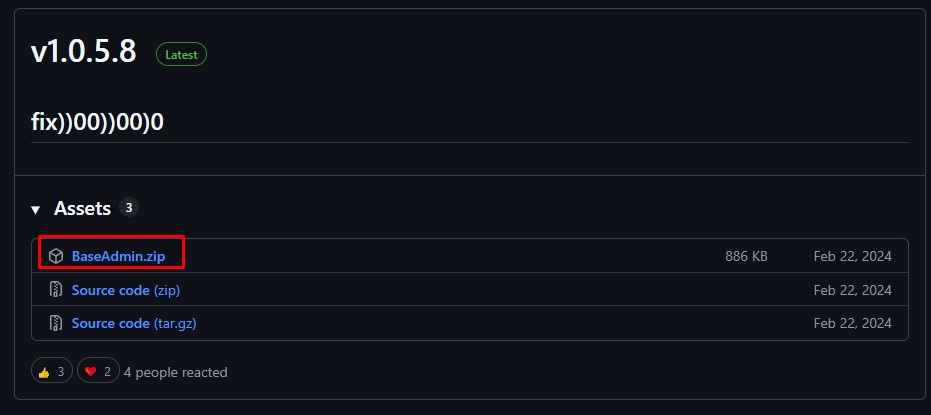
- Unzip the file and you will see a folder named addons.
- Log in to the GGServers Control Panel.
- Stop the server.
- Connect using WinSCP or Filezilla – WinSCP is used in this guide
- Navigate to the following directory:
game/csgo - Upload the downloaded plugin file.

- Start the server.
- After the server fully starts, stop it again.
Create the Admin Database
- Go to the Databases tab in the control panel.
- Click New Database.
- Enter a name for the database and press Create.
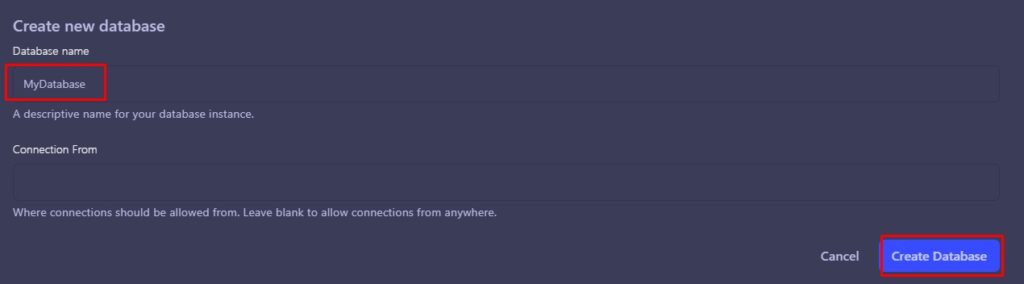
- Press the Database Details button next to the database and note the connection details.
- Navigate to:
game/csgo/addons/counterstrikesharp/plugins/BaseAdmin - Edit the database.json file.
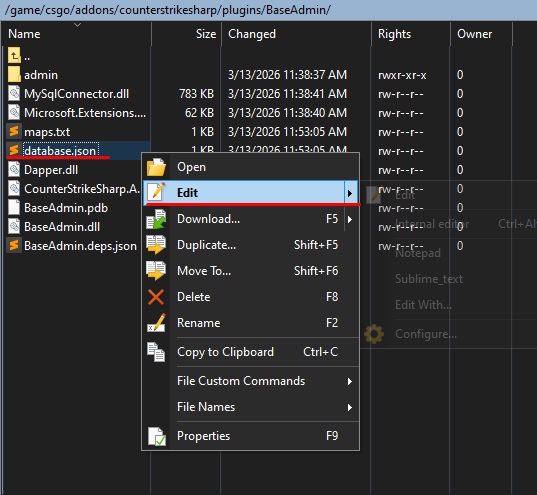
- Under Connection, enter the database details from the previous step.
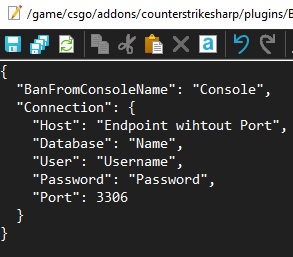
- Press the Save button.
- Return to the BaseAdmin directory.
- Open the maps.txt file.
- Enter the maps you want admins to be able to change to, each on a new line.
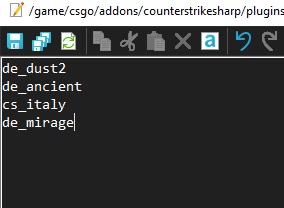
- Press the Save button.
| Default Map Name | Default Map Code |
|---|---|
| Ancient | de_ancient |
| Anubis | de_anubis |
| Dust 2 | de_dust2 |
| Inferno | de_inferno |
| Italy | cs_italy |
| Mirage | de_mirage |
| Nuke | de_nuke |
| Office | cs_office |
| Overpass | de_overpass |
| Vertigo | de_vertigo |
- Start the server.
- Go to the Console tab.
- Enter the following command to add an admin:
css_addadmin [name] "SteamID" [immunity] [flags] [0]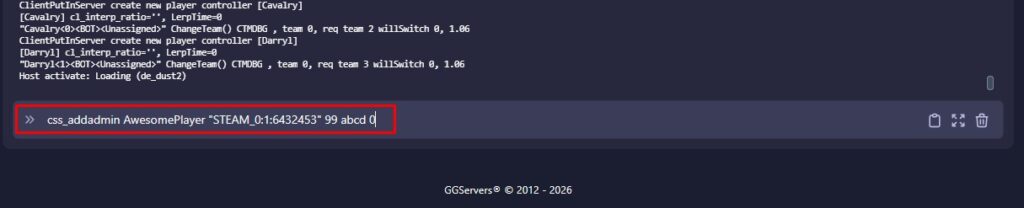
You can also use the following commands to manage admins:
css_who - Displays players, admins, and server time
css_addadmin [name] "SteamID" [Immunity] [Flags] [Minutes]
css_deleteadmin "SteamID"| Flag Code | Admin Access |
|---|---|
| b | Generic |
| c | Kick |
| d | Ban |
| e | Unban |
| f | Slay |
| g | ChangeMap |
| h | Cvar |
| j | Chat |
| m | Rcon |
| n | Cheats |
| z | Root |
In-Game Admin Commands
You can find a complete list of in-game admin commands here.
FAQ
How do I remove an admin from my CS2 server?
You can remove an admin by using the command css_deleteadmin "SteamID" in the server console.
What is the SteamID used for?
The SteamID identifies the player account that will receive admin privileges on your Counter-Strike 2 server.
What do admin flags do?
Admin flags determine what permissions an admin has, such as kicking players, banning users, or changing maps.
Can I create temporary admins?
Yes. When using the css_addadmin command, you can set the number of minutes for the admin access instead of using 0 for permanent access.
I installed the MiniAdmin (BaseAdmin) why it’s not working?
Make sure you have MetaMod and CSSharp installed, without those the plugin won’t work.