 Billing
& Support
Billing
& Support Multicraft
 Game
Panel
Game
Panel



How to Change the Provider E-mail on Your OpenRCT2 Server
In addition to the provider name, OpenRCT2 allows you to list a Provider E-mail in the server information window. This provides a direct point of contact for players who may have questions, suggestions, or need to report issues while you are away from the server. Maintaining a valid contact email is a great way to build trust within your theme park community. Follow the steps below to update your provider email on the GGServers panel.
Step 1: Access the Panel
Log in to your GGServers Control Panel and select your OpenRCT2 server. This dashboard allows you to manage the contact information and metadata associated with your server.
Step 2: Stop Your Server
To ensure the new contact information is correctly written to your server configuration, you must first stop the server. Click the red Stop button on the main console. Wait until the status indicator displays “Offline” before proceeding to the settings.

Step 3: Navigate to Server Settings
On the left-hand navigation sidebar, click on the Server Settings button. This menu gives you access to the core performance and identity toggles for your OpenRCT2 instance.

Step 4: Open General Settings
In the Server Settings area, select the General Settings tab. This section manages the fundamental identity of your server, including the public-facing contact details.

Step 5: Change the Setting That Will Auto Save
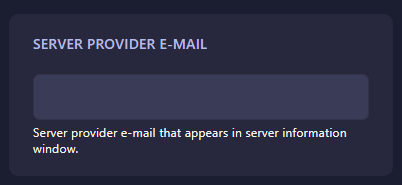
Locate the box labeled Server Provider E-Mail. Enter the email address you would like to be displayed in the server information window. The GGServers panel will automatically save your changes the moment you finish entering the address in the box.
Step 6: That is it!
Your server contact information has been updated! Return to the main dashboard and click Start. Your OpenRCT2 server will now display the new provider email in the server info window for all players.
Professionalize your park management with OpenRCT2 server hosting at GGServers. Our intuitive control panel makes it simple to manage your server’s identity and support your players!