 Billing
& Support
Billing
& Support Multicraft
 Game
Panel
Game
Panel



How to Change the Server Name on Your Sunkenland Server
Your server name is the primary way players identify your community in the Sunkenland in-game browser. A unique and descriptive name makes it easier for your friends to find you and helps attract new players to your world. Follow this quick guide to update your server’s display name using the GGServers panel.
Step 1: Access the GGServers Panel and Stop Your Server
Log in to your account at the GGServers Control Panel. Before modifying the identity of your server, you must Stop the server. This ensures that the new name is correctly broadcasted to the master server list when the server initializes during the next startup.

Step 2: Navigate to Server Settings
On the left-hand navigation sidebar, click on the Server Settings button. This will expand the management options for your Sunkenland instance.

Step 3: Open the General Settings Tab
From the submenu that appears, select the General Settings tab. This section contains the core identity settings for your Sunkenland dedicated server.

Step 4: Update the Server Name
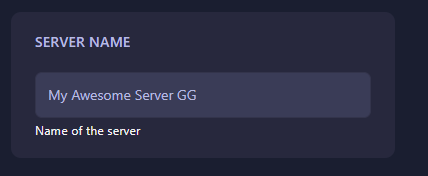
Locate the box labeled Server Name. Delete the existing name and type in your new desired title. The GGServers panel uses an auto-save system, so your changes are applied the moment you finish editing the field.
Step 5: Start Your Server
Return to the main dashboard and click Start. Your Sunkenland server will now appear in the game browser under its new name!
If you have any trouble finding your server after a name change, or need further assistance, please contact us at GGServers Support.