 Billing
& Support
Billing
& Support Multicraft
 Game
Panel
Game
Panel



How to Change Your Insurgency Server Name: A Step-by-Step Guide
Customizing your Insurgency server name is a vital step in building a community and making your server stand out in the public server browser. Whether you are rebranding or simply want to attract more players with a unique title, the process on the GGServers panel is quick and efficient. Follow this guide to update your server identity in minutes.
Step 1: Access Your Game Panel
To begin, navigate to the GGServers Control Panel and log in with your credentials. This dashboard gives you full control over your server configuration and management.
Step 2: Stop Your Server
Before modifying any configuration files or settings, it is best practice to Stop your server. This prevents data corruption and ensures that the new settings are properly initialized when the server boots back up.

Step 3: Navigate to Server Settings
Once the server is offline, look at the navigation menu on the left-hand side of your screen. Click on the Server Settings option to expand the configuration categories.

Step 4: Update the General Settings
Within the settings menu, select the General Settings tab. This is where the core identity of your server is managed.

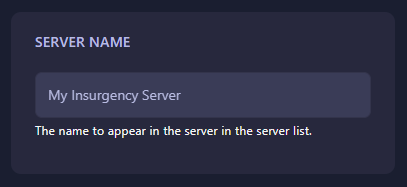
Look for the field labeled Server Name. Type your desired name into the box. Note that the GGServers panel uses an auto-save feature, so your changes will be applied instantly as you type.
Step 5: Restart and Verify
After entering your new name, return to the main dashboard and Start your server. Your server will now appear in the Insurgency server browser with its new title. If you don’t see the change immediately, try refreshing your server list or restarting the game client.
If you encounter any issues or the name does not update as expected, feel free to reach out to the GGServers support team by submitting a ticket here: GGServers Support.