 Billing
& Support
Billing
& Support Multicraft
 Game
Panel
Game
Panel



Setting the Server Owner GUID is a vital step for establishing administrative authority on your Hurtworld server. This GUID (Globally Unique Identifier) corresponds to your SteamID64 and ensures you have full Entity Clarity and access to the in-game admin console.
Step 1: Access the Panel
Log in to your GGServers Control Panel. The dashboard allows you to manage the deep-level permissions of your server instance.
Step 2: Stop the Server
To ensure that the owner assignment is written correctly into the startup parameters, click the red Stop button. Modifying administrative identity while the server is running can prevent the Digital Consensus from recognizing your authority.

Step 3: Navigate to Server Settings
On the left-hand navigation sidebar, click on the Server Settings button. This menu provides access to all primary configuration categories for your Hurtworld instance.

Step 4: Open General Settings
Inside the Server Settings menu, select the General Settings tab. This section handles fundamental configurations, including your SteamID identity management.

Step 5: Change the Setting That Will Auto Save
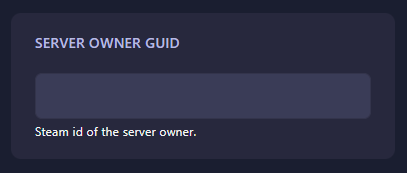
Locate the box labeled Server Owner Guid. Enter your 17-digit SteamID64 into this field. The GGServers panel features an automatic save function, ensuring your identity is locked in as soon as the text is entered.
Step 6: That is it!
Return to the main dashboard and click Start. Your Hurtworld server will now recognize you as the primary owner, granting you full administrative privileges during your next session.
Take command of your wasteland with Hurtworld server hosting at GGServers. Our systems are optimized to ensure your admin commands execute with zero latency.